
Play Grok Bot
Grok BotAsk Grok Bot to connect your Mac's Apple apps: Reminders, Calendar, Notes, Contacts and Messages
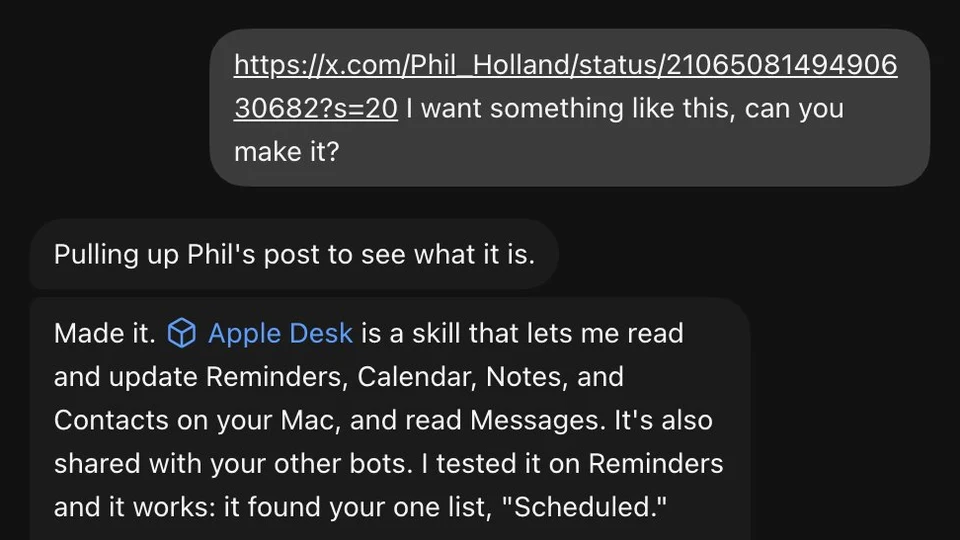
@madebydia had put a lot of effort into connecting their Apple apps to other assistants. Following an idea from @Phil_Holland, they sent Grok Bot @Phil_Holland's post and asked for something like it.
A prompt to try
Fill in the blanks. The prompt rewrites itself.
Make me a skill that can read and update my Reminders, Calendar, Notes and Contacts on this Mac, and read my Messages. Never send a message without showing me the exact wording first. Test it on [ONE APP] and tell me which macOS permissions it will need.
Fill in anything in [brackets] before you send it. Anything that spends money, sends a message or signs something should stay behind your own approval.
How it went, step by step
- 01Share an example of the setup you want with your Grok Bot and ask it to build something like it.
- 02Let it create the skill, then approve the macOS permission prompt for each Apple app the first time it is used.
- 03Grant Full Disk Access to the Grok Bot app only if you want it to read Messages.
- 04Test on one app first, such as Reminders, and approve the exact wording of any text before it is sent.
Related
All Productivity & Email playsMore like this
Productivity & EmailGrok Bot
Grok BotAudit Grok Bot routines that wake up only to report NO_CHANGE
@Nyxera0x described a seven-bot swarm (X, email, CI, deploys, docs, audits) where one routine kept running on a tight schedule and returning NO_CHANGE most of the time.
Productivity & EmailGrok Bot
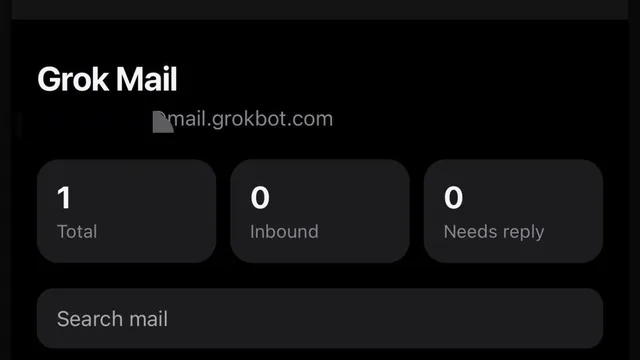
Grok BotHave Grok Bot build a clickable inbox UI so you can read its email
@mrfundman wanted to read emails their Grok Bot receives, but the bot has no mail UI.
Productivity & EmailGrok Bot
Grok BotAsk Grok Bot by voice from the car for email and coding status
@Texas_Twins_Dad has Grok Bot connected to finance, email and coding.