
 Grok Bot
Have Grok Bot check this year's tax return against last year's and catch a missed depreciation deduction
Jeremy Judkins's Grok Bot flagged a mistake on their 2025 tax return on its own: TurboTax was spreading their Cybertruck's remaining basis evenly ($18,910 for year 2).
A prompt to try
Fill in the blanks. The prompt rewrites itself.
Review my tax return for missed or inconsistent deductions before I file.

What I have:
- This year's draft return: [attach PDF or export]
- Last year's filed return: [attach PDF]
- Assets I depreciate: [vehicle or equipment, purchase date, cost, business-use %]
- Tax software I use: [name and version]

Do this:
1. For each depreciated asset, compare this year with last year: method, recovery period, convention and remaining basis. Flag any change (for example, a switch from a declining-balance schedule to straight-line) and show the math both ways.
2. Check that nothing is counted twice, such as a vehicle that is depreciated and also claimed under vehicle expenses.
3. List each difference with its dollar effect on my deductions, and say what you're unsure about.
4. Tell me exactly which forms and lines to check or change in my tax software, step by step.

Don't file or change anything. I'll make the edits myself and confirm with a tax professional if the amount is large.
Fill in anything in [brackets] before you send it. Anything that spends money, sends a message or signs something should stay behind your own approval.
How it went, step by step
- 01Give your AI this year's draft return and last year's filed return, plus a list of assets you depreciate (vehicle, equipment) with purchase dates and cost.
- 02Ask it to compare each asset's depreciation method, recovery period and remaining basis across the two years, and show the math for both.
- 03Have it check that nothing is claimed twice, such as a vehicle that is both depreciated and listed under vehicle expenses.
- 04Ask for the forms and lines to change in your tax software, step by step.
- 05Make the edits yourself and check them with IRS instructions or a tax professional before you file.
More like this
Grok BotHave Grok Bot gather your documents and prepare a complex overseas tax filing for review
@Texas_Twins_Dad says Grok Bot saved them more than $1,000 on a complicated tax filing with overseas reporting that would have needed a hard-to-find accountant.
Get a second opinion on a $1,800 car repair quote from the shop's own inspection video
After a routine service, a shop recommended about $1,800 of work on Kyle Blanchard's Mazda and sent an inspection video. They gave an AI agent a photo of the quote and the full video.
 Grok Bot
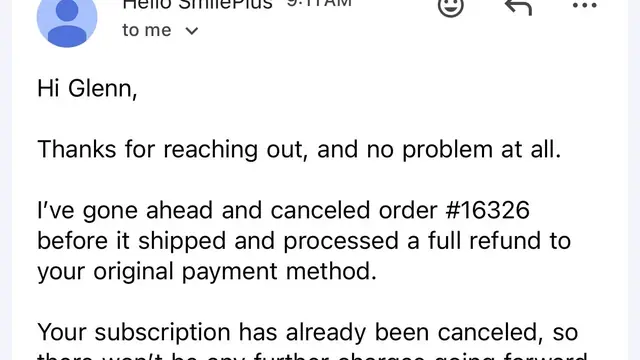
Have Grok Bot find a surprise renewal's receipt, cancel it and ask for a refund
@glenntkim noticed a recurring subscription charge on their card while driving.