
 Grok Bot
Plan meals and fill a grocery cart with a three-bot Grok Bot food prep team
Michael Fenech set up a Grok Bot Chief of Staff with three specialist bots: a Meal Organiser, a Shopper that fills the grocery cart and stops before checkout, and a Cooking Bot.
A prompt to try
Fill in the blanks. The prompt rewrites itself.
Set up a food prep team for me: three specialist Bots reporting to you, my Chief of Staff.

Start by asking me for any missing details in my food profile. Show me the proposed Bot descriptions before creating them.

MY FOOD PROFILE

Diet: [my diet or dietary goals].
Servings: [how many people each meal should feed].
Never include: [allergies, intolerances and disliked foods].
Preferences: [cooking time, budget and ingredient preferences].
Grocery store: [Add store link].
Meal bank: [6–10 meals I like, or ask me and suggest some].

Save my confirmed profile for future use.

1 - MEAL ORGANISER
When I tell you how many days and which meals, build a plan from my meal bank.

Follow my food profile. Ask about ingredients I already have so we can avoid buying them again.

Return the meal plan and one combined shopping list with quantities matched to the number of servings. Include any extras I request.

Wait for my approval before handing the list to the Shopper.

2 - SHOPPER

After I approve the plan, open my grocery store's website and fill the cart with the approved shopping list.

Pick sensible pack sizes. Check the existing cart before adding items to avoid duplicates.

For out-of-stock items, choose the closest suitable match within my food profile. Flag anything uncertain rather than guessing, especially where an allergy or dietary restriction is involved.

Stop before checkout. Never choose a delivery slot, place the order or pay.

Return the cart total, substitutions and anything you couldn't find. I will review the cart and check out myself.

3 - COOKING

When I name a meal from the plan, give me simple cooking instructions using the ingredients we selected, including any approved substitutions.

Include preparation time, cooking time, quantities and steps in order. Explain when to start each component so everything finishes together.

Keep the recipe within my agreed cooking-time preference. Flag any extra preparation needed in advance.

HOW WE WORK TOGETHER

I tell you:

'Plan 3 days of lunch and dinner, plus these extras: [items].'

You get the Meal Organiser to draft the plan and show it to me.

After my approval, send the shopping list to the Shopper.

Report back when the cart is ready, including anything that needs my attention.

When I ask what to cook, use the current plan and get the Cooking Bot to guide me.

For the initial grocery-store connection, open the website and let me complete the login myself.

Confirm which Bots are created and whether the store is accessible. Tell me if any setup step remains incomplete.
Fill in anything in [brackets] before you send it. Anything that spends money, sends a message or signs something should stay behind your own approval.
How it went, step by step
- 01Ask Grok Bot (as Chief of Staff) to create three specialist bots: Meal Organiser, Shopper, and Cooking Bot, and to show their descriptions before creating them.
- 02Fill in your food profile: diet, servings, never-include list, preferences, grocery-store link, and a meal bank of 6–10 meals.
- 03Tell the Chief of Staff how many days of lunch and dinner to plan (plus extras); approve the Meal Organiser's plan and shopping list.
- 04Let the Shopper fill the cart and stop before checkout; review substitutions, then check out yourself.
- 05When cooking, name a meal from the plan and get step-by-step instructions from the Cooking Bot.
More like this
 ChatGPT
Plan a week of meals and a grocery list for two that came in just under $150
Emily Wise gives ChatGPT a diet, dislikes, snack habits and budget, asks for the meal plan and recipes in separate steps, and gets a grocery list sorted by category with estimated prices.
 Grok Bot
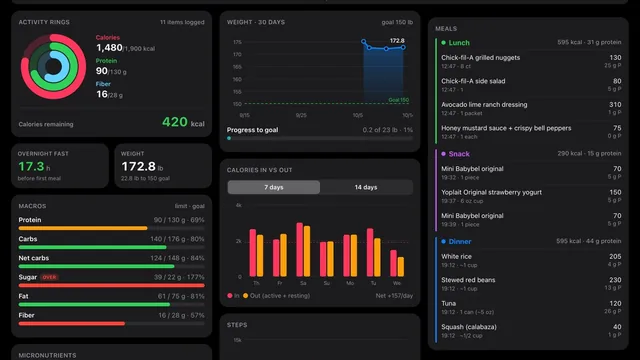
Build a food and fitness tracker by talking to Grok Bot
@AnotherHumanSol built a personal food and fitness tracker with Grok Bot by talking from the driver's seat of their Tesla — no coding.
 Grok Bot
Copy five single-job Grok Bot templates for content and launches
@HamzaDincer built five free-to-copy Grok Bot templates in one week, each with one job: Content Engine (drafts posts, never posts them), Launch Operator (next launch tasks daily), Growth Coach.